
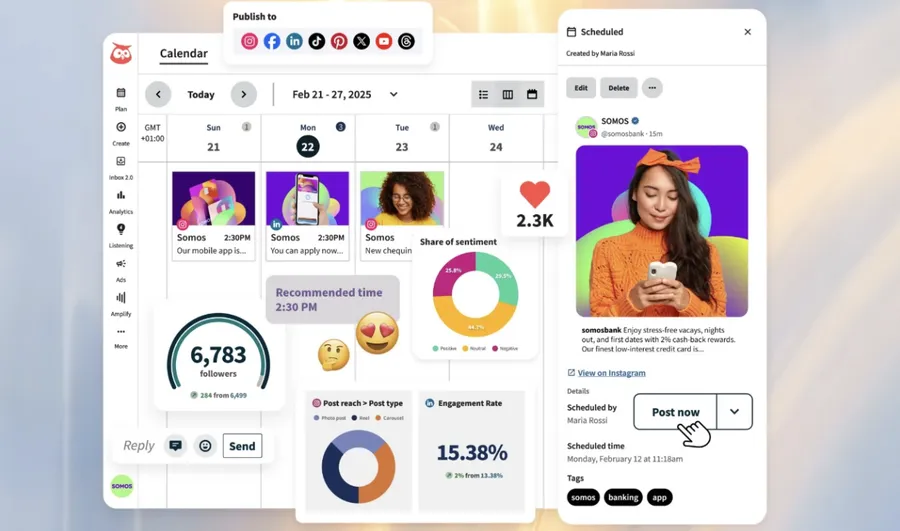
Why You Need Tools to Manage Multiple Social Media Accounts
Running several accounts manually wastes time and leads to inconsistent posting. Good management tools let you schedule posts in advance, monitor performance from one dashboard, collaborate with team members, and analyze what actually works — saving 10–20 hours per week for most users.
Quick Answer: Best Tools to Manage Multiple Social Media Accounts
Buffer is ideal for small businesses and beginners. Hootsuite offers advanced features for teams. Later excels at visual planning for Instagram and TikTok. Meta Business Suite is completely free for Facebook and Instagram. Most users save 10–20 hours weekly with any of these.
Best Social Media Management Tools Comparison 2026
| Tool | Best For | Pricing (starting) | Key Strength |
|---|---|---|---|
| Buffer | Small businesses & beginners | Free / $6 per channel/mo | Simple & affordable |
| Hootsuite | Teams & agencies | $99/mo | Advanced analytics & publishing |
| Later | Instagram & TikTok creators | Free / $25/mo | Visual content calendar |
| Meta Business Suite | Facebook & Instagram | Free | Native integration & insights |
| Sprout Social | Enterprise & reporting | $249/mo | Deep reporting & listening |
Buffer – Best for Small Businesses and Beginners
Buffer is clean, easy to use, and affordable. It supports scheduling across Instagram, TikTok, Facebook, LinkedIn, YouTube, and more. The analytics are straightforward and the free plan allows basic scheduling. Perfect if you manage 2–5 accounts and want something simple without a steep learning curve.
Hootsuite – Most Comprehensive Platform
Hootsuite is a veteran tool with powerful publishing, monitoring, and team collaboration features. It excels at managing many accounts and provides detailed analytics. Ideal for agencies or businesses with multiple team members working on social media.
Later – Excellent Visual Planning
Later shines with its drag-and-drop visual calendar, making it perfect for Instagram and TikTok-heavy strategies. It offers strong analytics and auto-publishing for many platforms. Great choice if visuals and aesthetics are central to your brand.
Meta Business Suite – Free & Native Power
Completely free for Facebook and Instagram management. It includes scheduling, detailed insights, ad management, and inbox unification. If your main focus is Meta platforms, start here before paying for third-party tools.
How to Choose the Right Tool for Your Needs
- Small team or solo → Buffer or Later
- Need advanced analytics & reporting → Hootsuite or Sprout Social
- Mainly Facebook & Instagram → Meta Business Suite first
- Heavy on visuals & planning → Later
Pro Tips for Using Social Media Management Tools Effectively
- Always review posts in the preview before scheduling
- Use the analytics to identify your best posting times
- Set up approval workflows if working with a team
- Connect all accounts early to get accurate historical data
- Combine tools – use native platforms for direct engagement when needed
FAQs – Tools to Manage Multiple Social Media Accounts
Are free tools good enough?
Yes for starters. Buffer and Meta Business Suite offer solid free plans that handle basic scheduling and analytics well.
Can these tools post to TikTok automatically?
Most support scheduling and direct publishing to TikTok, though some still require manual approval for certain features.
Is it safe to connect all my accounts to one tool?
Yes, reputable tools use secure OAuth connections and never store your passwords.
Conclusion – Choose One Tool and Stay Consistent
The right social media management tool can save you dozens of hours every month while improving consistency and results. Start with Buffer or Meta Business Suite if you're on a budget, then upgrade as your needs grow. The key is picking one tool and using it consistently rather than jumping between many.
For more social media growth tips, explore how to create engaging content for social media and common mistakes to avoid on social media growth.
Data Sources & References
Based on official tool websites, user reviews, feature comparisons, and real-world usage data from 2025–2026.